
Simple View
The Simple View provides a basic, easy-to-read list of all inventory items. This view is ideal for quick lookups and basic inventory management.
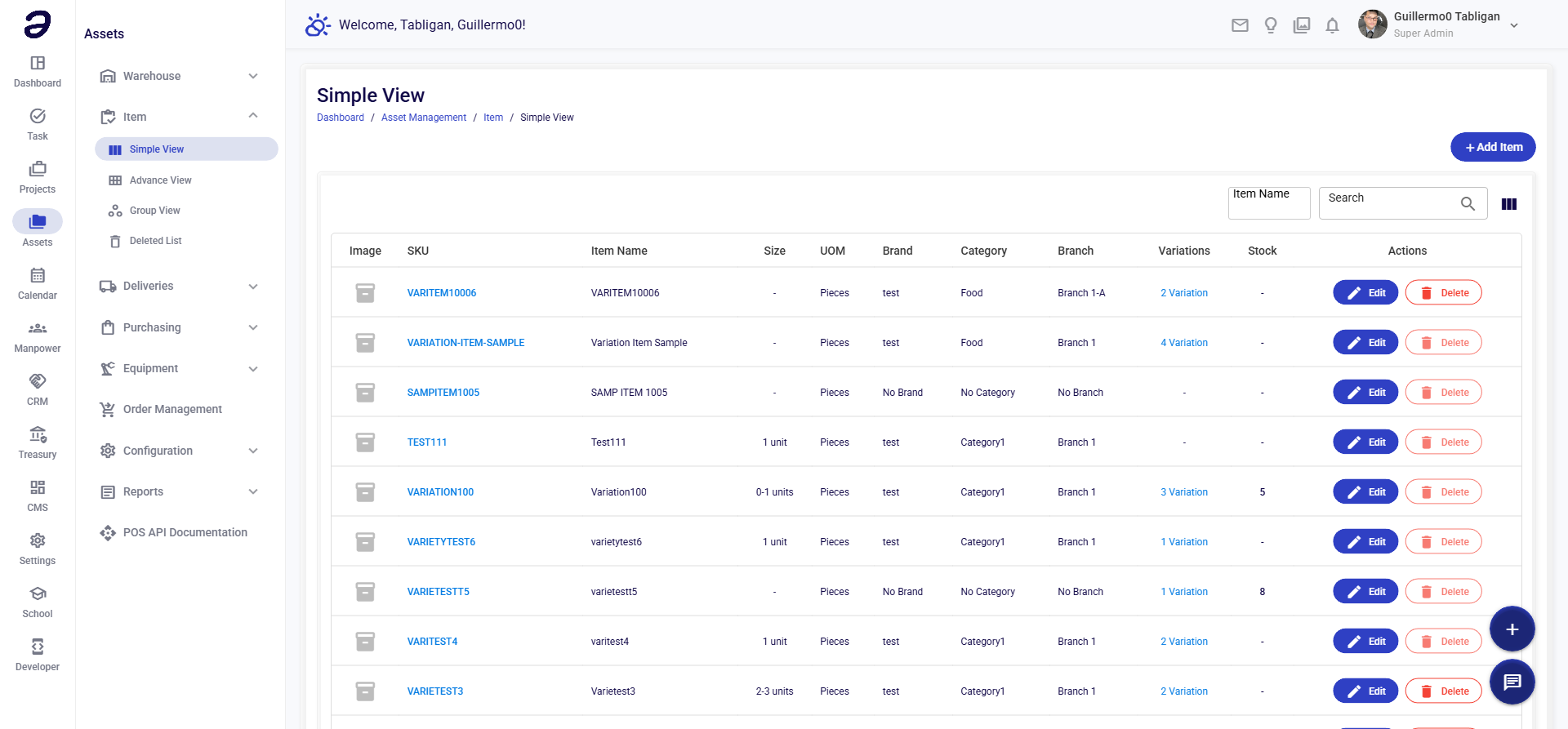
Overview
Simple View displays items in a straightforward table format with essential information like item name, category, quantity, and unit.
Page Layout
- Add Item button - Create new inventory item
- Search - Find items quickly
- Filter - Filter by category, warehouse, or status
- Items Table - List of all items
Table Columns
| Column | Description |
|---|---|
| Item Code | Unique identifier for the item |
| Item Name | Name of the item |
| Category | Item category |
| Quantity | Current stock quantity |
| Unit | Unit of measurement |
| Price | Unit price |
| Actions | Edit, view details, delete |
Common Tasks
Adding a New Item
- Click + Add Item
- Fill in item details:
- Item Code - Unique code (or auto-generate)
- Item Name - Descriptive name
- Category - Select category
- Unit - Select unit (pcs, kg, etc.)
- Price - Enter unit price
- Click Save
Searching for Items
- Type the item name or code in the search box
- Results filter automatically as you type
- Click on an item to view details
Editing an Item
- Find the item in the list
- Click the Edit button (pencil icon)
- Update the information
- Click Save
Tips
- Use Clear Names - Name items descriptively for easy searching
- Consistent Codes - Follow a naming convention for item codes
- Accurate Categories - Assign correct categories for better organization
- Update Prices - Keep prices current for accurate cost tracking
Related Pages
- Advance View - Detailed item management
- Group View - Items organized by groups
- Item Categories - Manage categories
💡 Note: Simple View is best for quick lookups. Use Advance View for detailed item management.