
Company Information
Company Information settings allow you to configure your organization's basic details that appear throughout the system.
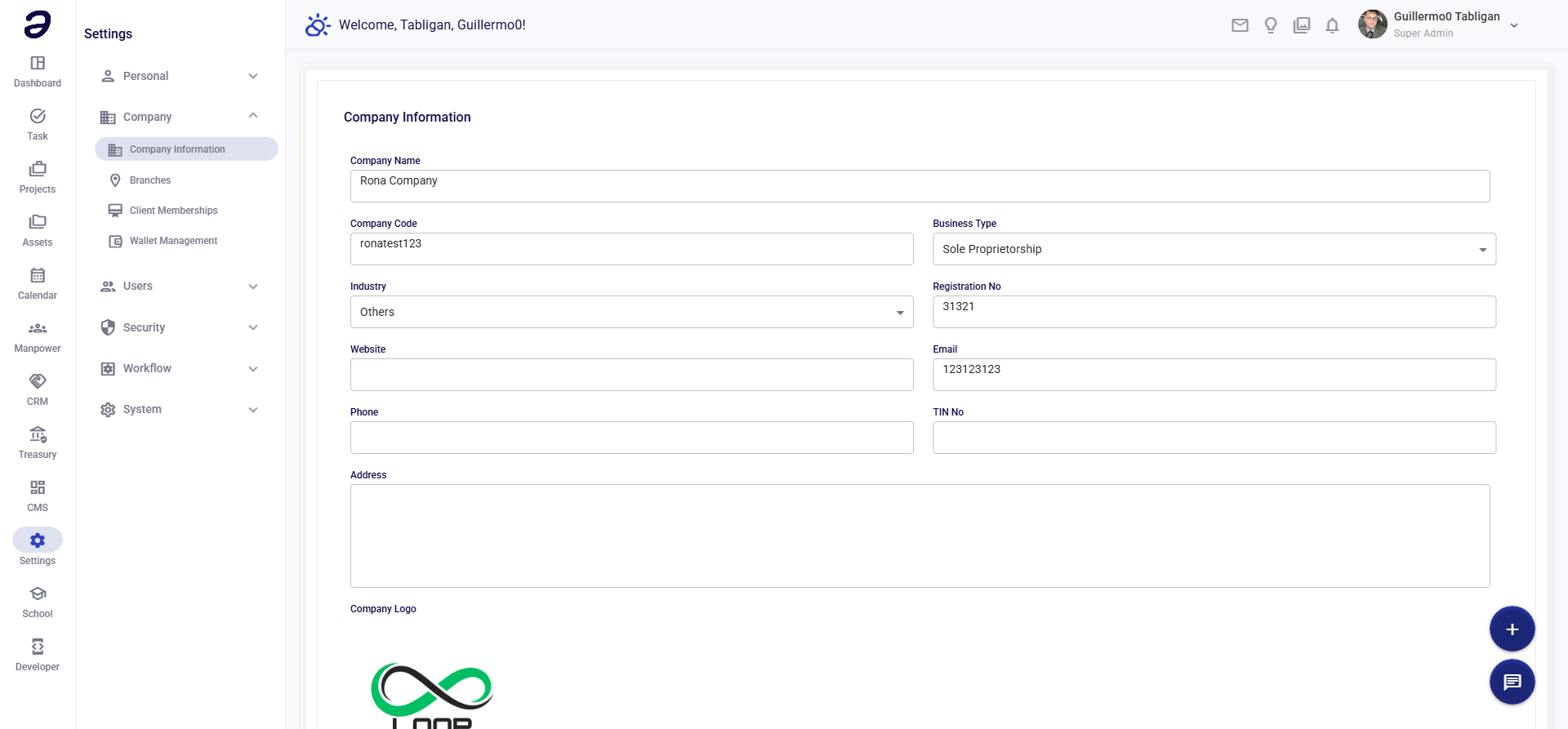
Overview
Set your company's name, logo, address, and contact information. This information appears on documents, emails, and throughout the interface.
Page Layout
- Company Logo - Upload section
- Company Details Form - Basic information
- Contact Information - Communication details
- Save button - Save all changes
Company Details
| Field | Description |
|---|---|
| Company Name | Legal company name |
| Company Logo | Company logo image |
| Business Type | Type of business |
| Tax ID / TIN | Tax identification number |
| Registration No. | Business registration number |
Contact Information
| Field | Description |
|---|---|
| Address | Full street address |
| City | City name |
| Province/State | Province or state |
| Postal Code | ZIP or postal code |
| Country | Country name |
| Phone | Main phone number |
| General email address | |
| Website | Company website URL |
Common Tasks
Updating Company Name
- Go to Settings → Company → Company Information
- Edit Company Name field
- Click Save
Uploading Company Logo
- Go to Company Information
- Click on logo area or Upload
- Select image file (PNG, JPG)
- Crop/adjust if needed
- Click Save
Logo Requirements:
- Format: PNG or JPG
- Recommended: Square or horizontal
- Max size: Usually 2MB
- Transparent background preferred
Updating Address
- Open Company Information
- Edit address fields
- Click Save
- Address updates on all documents
Where Information Appears
Company information is used in:
- Document Headers - Invoices, POs, reports
- Email Signatures - System emails
- Login Page - Company branding
- Reports - Official documents
- Notifications - System messages
Tips
- Accurate Info - Keep details current
- Professional Logo - Use high-quality image
- Legal Name - Use official registered name
- Complete Address - Include all details
- Verify Tax ID - Ensure accuracy for documents
Related Pages
- Branches - Branch locations
- Settings Overview - All settings
💡 Note: Changes to company information may take a moment to appear across all areas of the system.