
Companies
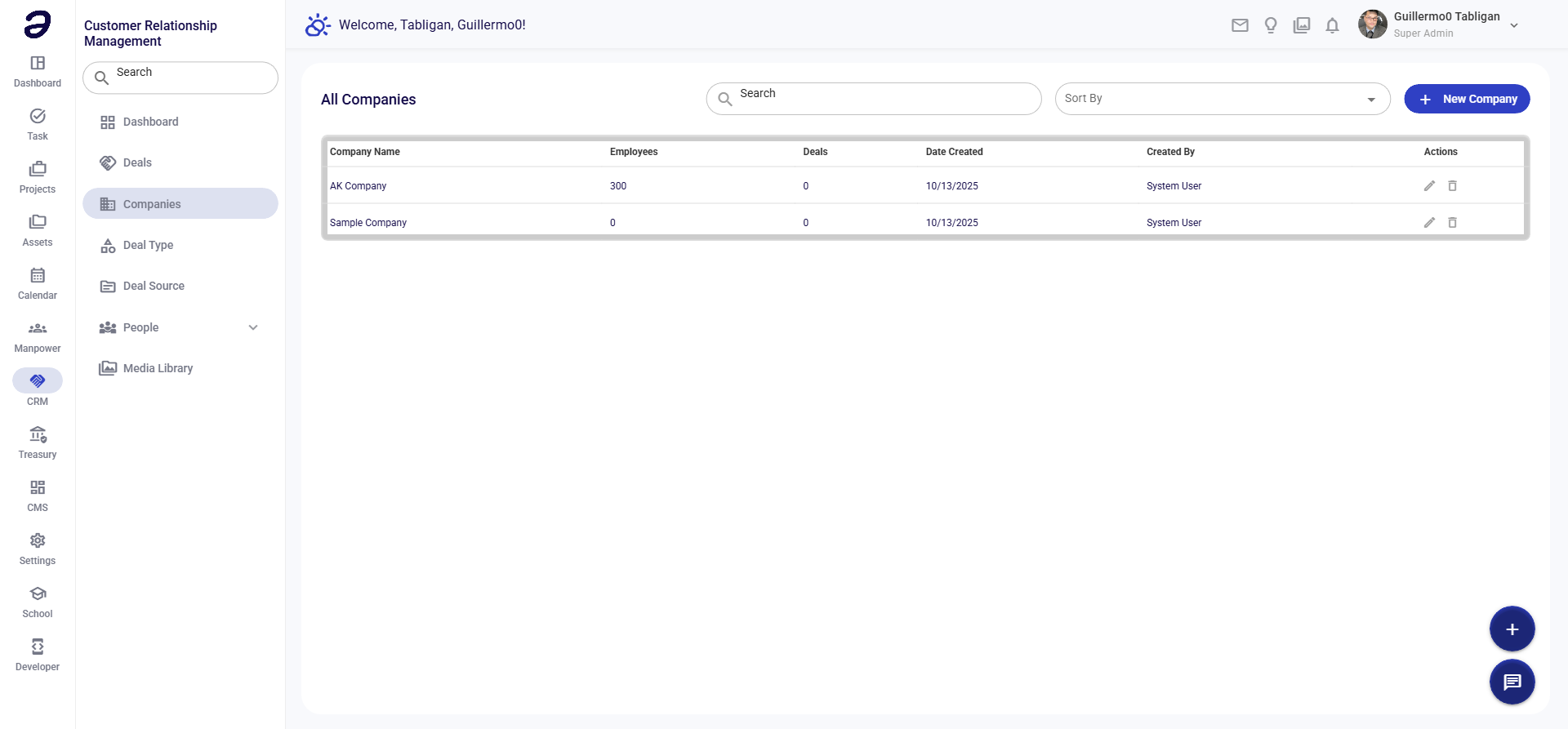
The Companies page helps you manage information about organizations you're doing business with or pursuing as potential clients.
Overview
Companies are the organizations associated with your deals. Maintaining accurate company information helps your team work effectively with clients.
Page Layout
- Add Company button - Create new company
- Search - Find companies
- Filter - Filter by industry, status
- Companies Table - List of all companies
Company Information
Each company record contains:
| Field | Description |
|---|---|
| Company Name | Official company name |
| Industry | Business sector |
| Website | Company website |
| Phone | Main contact number |
| General contact email | |
| Address | Physical location |
| Size | Company size category |
| Status | Active/Inactive |
Common Tasks
Adding a New Company
- Click + Add Company
- Fill in company details:
- Company Name - Official name
- Industry - Select sector
- Contact Info - Phone, email, website
- Address - Full address
- Click Save
Editing Company Information
- Find the company in the list
- Click Edit
- Update information
- Click Save
Viewing Company Deals
- Click on a company name
- View the Deals tab
- See all deals associated with this company
Adding Contacts to Company
- Open company details
- Go to Contacts tab
- Click Add Contact
- Fill in contact information
- Save the contact
Company Details View
When you open a company, you'll see:
Overview Tab
- Basic company information
- Key statistics
- Recent activity
Deals Tab
- All deals with this company
- Deal values and stages
- Win/loss history
Contacts Tab
- All contacts at this company
- Contact roles and information
- Communication history
Notes Tab
- Team notes and comments
- Meeting notes
- Important information
Files Tab
- Attached documents
- Contracts and proposals
- Related files
Tips
- Complete Information - Fill in all available fields
- Keep Updated - Update when information changes
- Link Deals - Associate all deals with companies
- Add Contacts - Include all relevant contacts
- Document Interactions - Use notes for important details
Related Pages
- Deals - Manage opportunities
- Point of Contact - Company contacts
- Dashboard - CRM overview
💡 Note: Companies can have multiple deals and contacts associated with them.