
Daily Meeting
Coordinate with your team through daily stand-up meetings. Share updates, discuss blockers, and plan work.
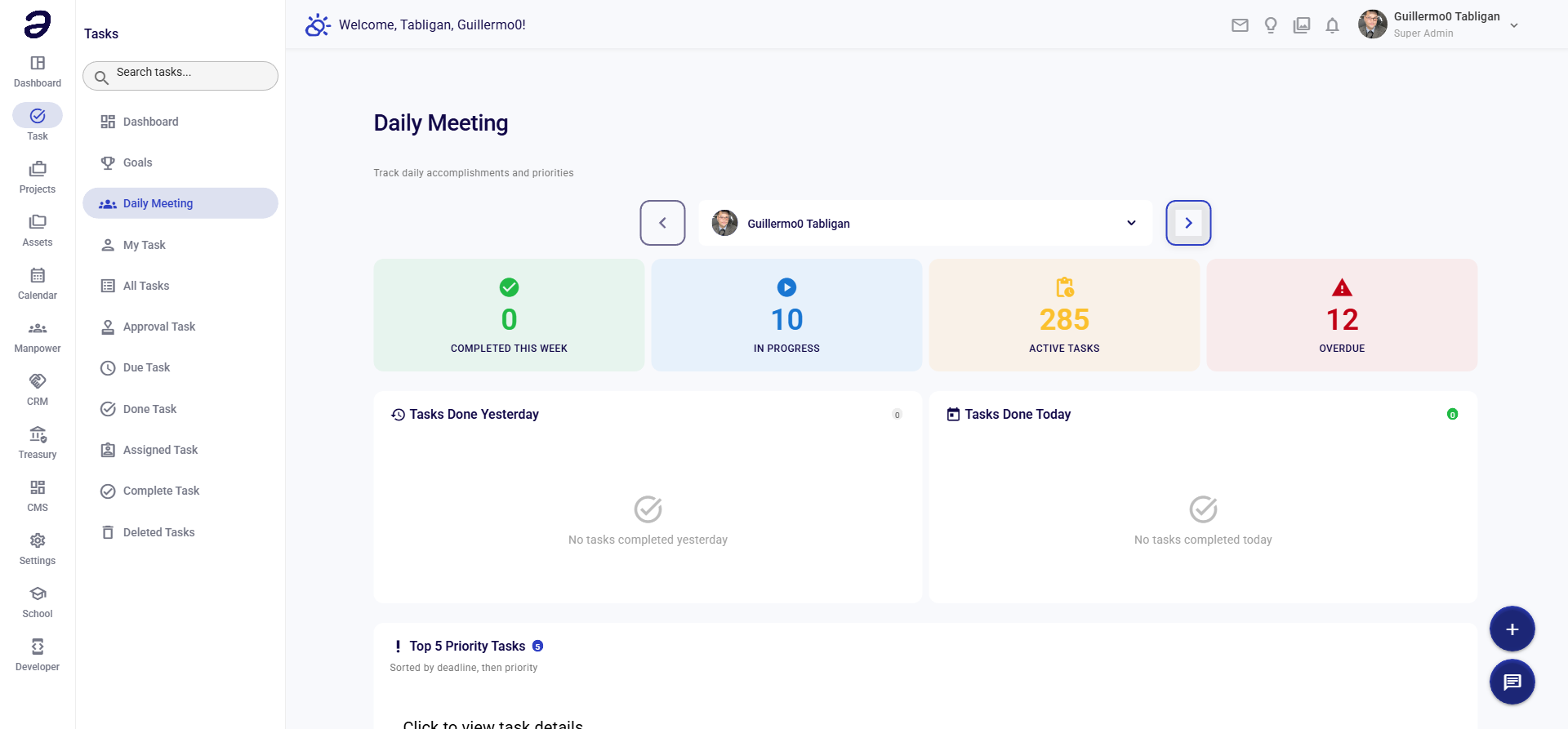
Overview
Daily Meeting helps teams coordinate through structured daily stand-ups. Record meeting notes, track action items, and keep the team aligned.
Page Features
Meeting List
- View past and upcoming meetings
- Shows meeting information:
- Meeting date
- Participants
- Status (Scheduled, Completed, Cancelled)
- Notes summary
Meeting Creation
- Schedule new meetings
- Set meeting date and time
- Add participants
- Set agenda items
Meeting Details
- View full meeting notes
- See participant updates
- Track action items
- Review decisions made
Actions Available
Meeting Actions
- Start Meeting - Begin a new meeting session
- Add Meeting - Schedule a future meeting
- View Meeting - See meeting details and notes
- Edit Meeting - Modify meeting information
- Add Notes - Record meeting discussions
- Add Action Items - Track tasks from the meeting
- Complete Meeting - Mark meeting as finished
Participant Actions
- Join Meeting - Participate in scheduled meeting
- Share Update - Provide your status update
- Report Blocker - Flag issues preventing progress
- Plan Work - Share what you plan to work on
Common Tasks
Starting a Daily Meeting
- Navigate to Task → Daily Meeting
- Click Start Meeting or Add Meeting
- Fill in meeting details:
- Date - Meeting date
- Time - Meeting time
- Participants - Team members to include
- Agenda - Discussion topics
- Click Start or Save
Sharing an Update
- Join the meeting
- Click Share Update
- Provide your status:
- What you completed yesterday
- What you're working on today
- Any blockers or issues
- Submit your update
Recording Action Items
- During the meeting, click Add Action Item
- Enter task details:
- Task title
- Assignee
- Due date
- Description
- Save the action item
Tips and Best Practices
- Regular Meetings - Hold daily meetings at the same time
- Keep It Short - Daily stand-ups should be brief (15 minutes)
- Focus on Updates - Share what's done, what's next, and blockers
- Track Actions - Record action items and follow up
- Be Consistent - Regular participation improves team coordination
Related Pages
- My Task - View action items from meetings
- Task Dashboard - Overview of team activity
💡 Note: Daily meetings help keep the team aligned and identify blockers early. Regular participation is key to success.