
Due Task
View tasks that are due soon or overdue. Stay on top of deadlines and ensure timely task completion.
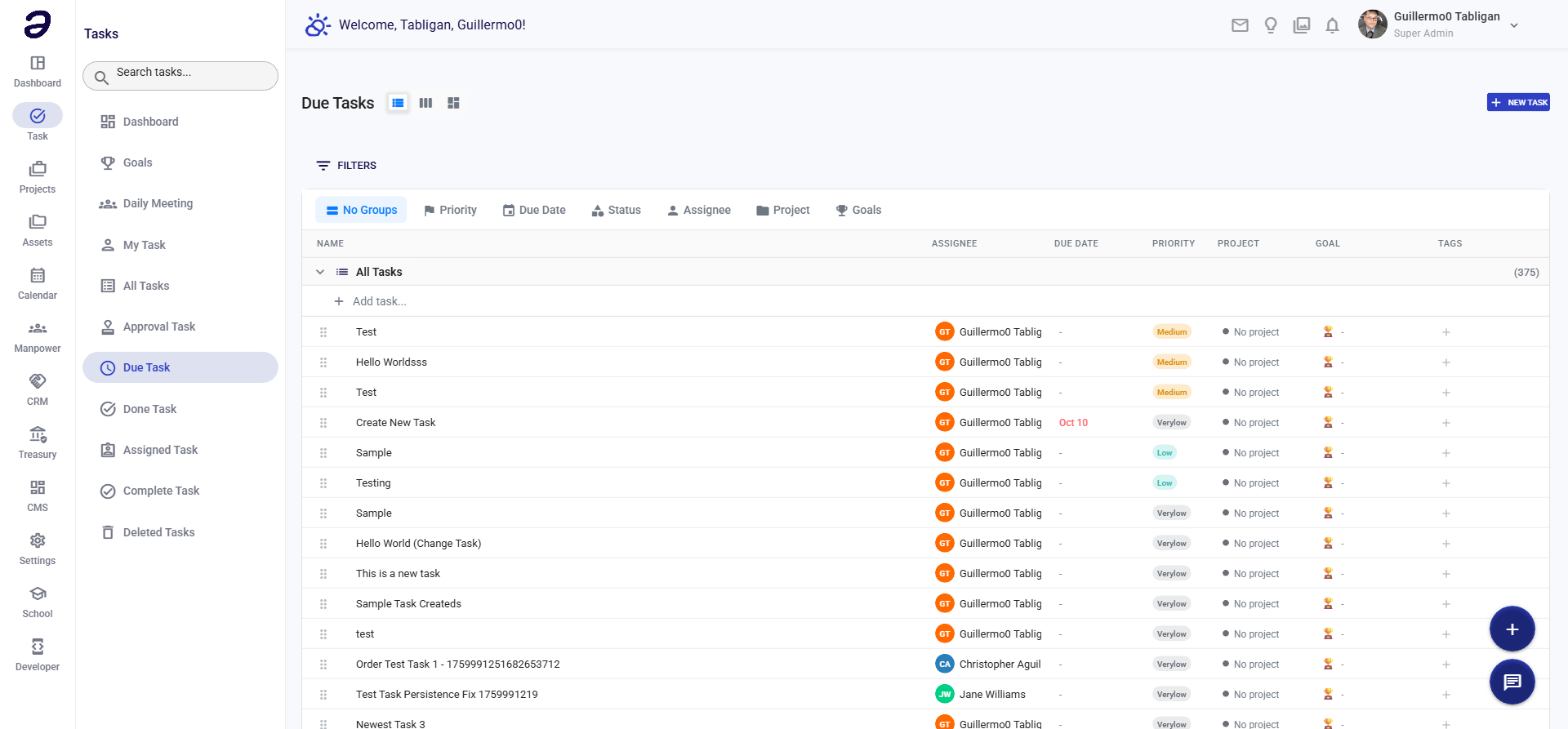
Overview
Due Task helps you manage deadlines by showing tasks with upcoming or past due dates. This is essential for staying organized and meeting deadlines.
Page Features
Task List by Due Date
- Tasks organized by due date
- Shows:
- Overdue - Tasks past their due date (highlighted in red)
- Due Today - Tasks due today
- Due This Week - Tasks due within 7 days
- Due This Month - Tasks due within 30 days
- Upcoming - Future due dates
Task Information
- Task title
- Project/folder
- Status
- Priority level
- Due date (with overdue indicator)
- Days until due / days overdue
- Assignee
Actions Available
Task Actions
- View Task - See full task details
- Update Status - Mark as in progress or complete
- Extend Deadline - Change due date if needed
- Add Comment - Update on progress
- Complete Task - Mark as done
Filtering Options
- Filter by overdue status
- Filter by priority
- Filter by project
- Sort by due date (earliest first)
Common Tasks
Viewing Overdue Tasks
- Navigate to Task → Due Task
- Overdue tasks appear at the top (highlighted)
- Review each overdue task
- Update status or extend deadline as needed
Extending a Deadline
- Open the task
- Click Edit or Change Due Date
- Select new due date
- Add reason for extension (optional)
- Save changes
Completing a Due Task
- Open the task
- Review task requirements
- Update status to "In Progress" if working on it
- Mark as "Done" when completed
- Add completion notes if needed
Tips and Best Practices
- Daily Review - Check due tasks daily
- Prioritize Overdue - Address overdue tasks first
- Plan Ahead - Review upcoming due dates weekly
- Update Status - Keep task status current
- Communicate - Notify stakeholders if deadlines need to change
- Break Down Tasks - Split large tasks to meet deadlines
Related Pages
- My Task - View all your tasks
- Task Dashboard - Overview of task status
- All Tasks - View all tasks
💡 Note: Overdue tasks are highlighted to draw attention. Regularly review and update task statuses to avoid accumulation of overdue items.