
Approval Task
Review and approve tasks that require your authorization. Manage approval workflows and ensure proper task authorization.
Overview
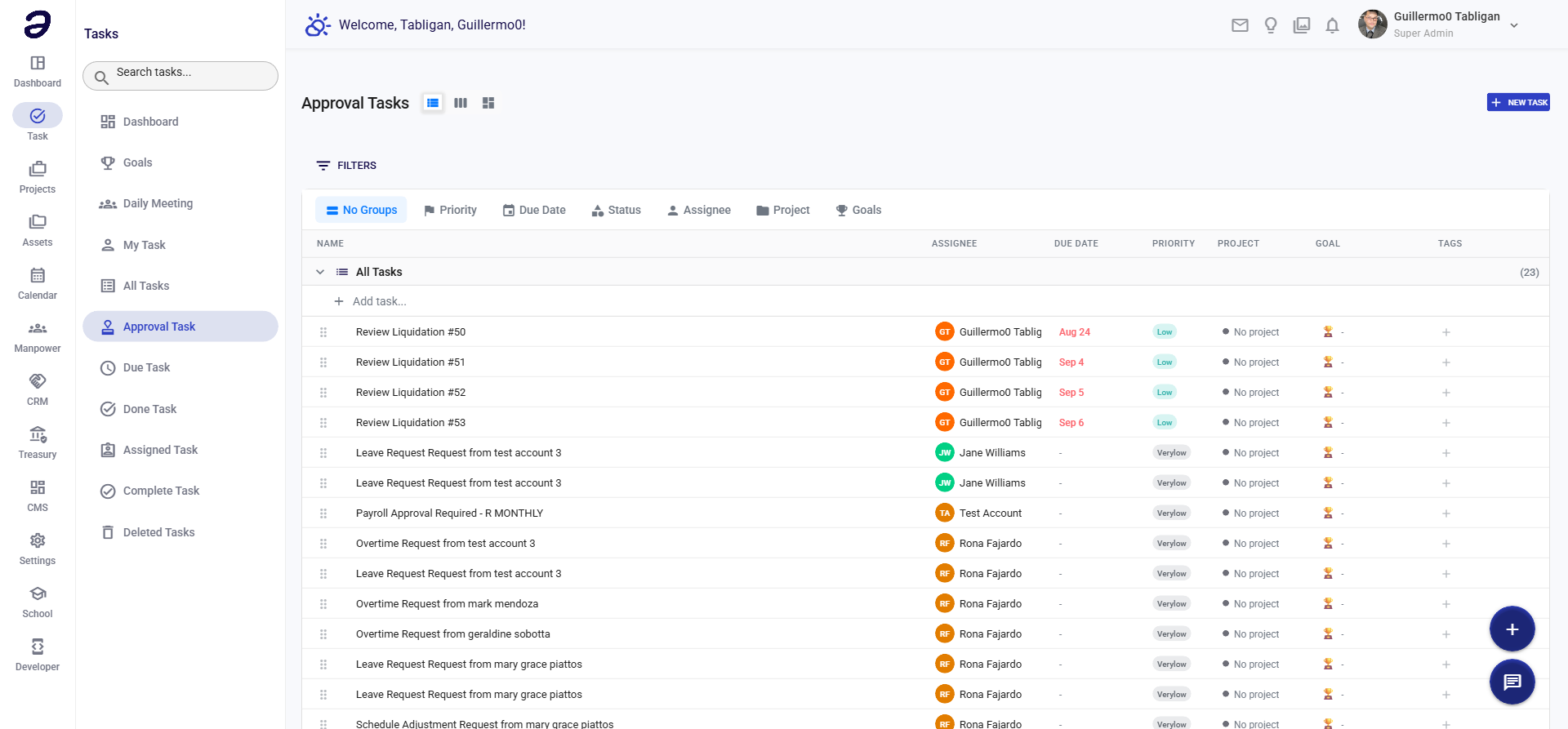
Approval Task shows all tasks that are pending your approval. This is essential for maintaining proper authorization and workflow control.
Page Features
Pending Approvals
- List of tasks waiting for your approval
- Shows task information:
- Task title
- Requester/creator
- Request date
- Task details
- Approval reason
- Priority level
Approval Actions
- Approve - Approve the task request
- Reject - Reject the task with reason
- Request Changes - Ask for modifications before approval
- View Details - See full task information
Actions Available
Approval Actions
- Approve Task - Grant approval to proceed
- Reject Task - Deny the request
- Request Information - Ask for additional details
- Delegate - Forward to another approver
- View History - See approval workflow history
Task Review
- View full task details
- Review attached documents
- Check related tasks
- Review comments and discussions
Common Tasks
Approving a Task
- Navigate to Task → Approval Task
- Review the pending task
- Click View Details to see full information
- Click Approve button
- Optionally add approval notes
- Confirm approval
Rejecting a Task
- Open the task requiring approval
- Review the details
- Click Reject button
- Enter rejection reason (required)
- Submit rejection
Requesting Changes
- Open the task
- Click Request Changes
- Enter what needs to be modified
- Submit the request
- Task will be returned to requester
Tips and Best Practices
- Review Promptly - Approve or reject tasks in a timely manner
- Check Details - Review all task information before approving
- Provide Feedback - Add notes when rejecting or requesting changes
- Follow Workflow - Understand your organization's approval process
- Delegate When Needed - Forward to appropriate approver if needed
Related Pages
- My Task - View your own tasks
- All Tasks - View all tasks in system
- Task Dashboard - Overview of approvals
💡 Note: Approval permissions are set by your administrator. Contact them if you need approval access or have questions about the approval process.